
Digital Library: Having fun isn’t hard if you’ve got a library card
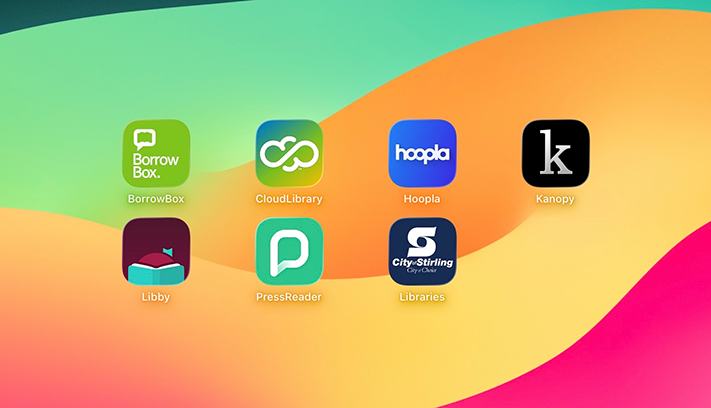
Tired of the same old streaming services but don’t want to pay for another subscription? The City has you covered with free access to streaming platforms, eAudiobooks and eBooks through your City of Stirling library membership.
With a range of services and apps available through the City’s Digital Library, here’s a breakdown of some the top choices available with your library membership* so you can cosy up with a new story, movie or show.
Bolinda BorrowBox
BorrowBox’s extensive range of eBooks, eAudiobooks and ePress titles are available to library members with their library card number and PIN.
The City’s BorrowBox library includes almost 25,000 eBooks, 23,000 eAudiobooks and 2,000 ePress publications in 17 languages.
Easily browsable by format and genre, BorrowBox’s search feature allows you to filter by titles that are available.
Point of difference
BorrowBox stands apart for its selection of ePress publications alongside other offerings.
Other services on this list provide access to magazines, but BorrowBox combines a great selection of fiction and non-fiction titles with access to more than 300 local, national and international news publications available for anyone wanting to keep abreast of news at home or abroad.
What you get
Library members can have up to six eBooks, six eAudiobooks and up to 10 ePress titles on loan or reserve at the same time. Back issues of ePress publications do not count against this limit.
Titles are available on a one-copy-per-user basis for a three-week period. They are automatically returned after the loan period when an email will be sent asking you to delete the title from your device.
How to access
You can access BorrowBox from your web browser or download the BorrowBox app to your mobile device or tablet from the App Store or Google Play.
Visit the Bolinda BorrowBox website
CloudLibrary
CloudLibrary offers a range of eAudiobooks and eBooks that library members can access with their library card number and PIN.
This service boasts more than 100,000 fiction and non-fiction titles for adults, teens and kids in more than 30 languages.
This enormous catalogue can be browsed by category or easily navigated by a powerful and intuitive search function with a range of filters to help you find exactly what you’re looking for.
CloudLibrary also allows parents to activate a passcode-protected Kid’s Mode so you can ensure your children only access age-appropriate titles.
Point of difference
What sets CloudLibrary apart from the other services on this list is the sheer volume of titles available.
It has by far the biggest range of titles across its two featured formats. If you’re searching for something obscure, CloudLibrary is the best place to start.
What you get
Library members can borrow up to six items at a time for 21 days and reserve up to six items, which are held for three days. Titles are limited to one copy per user and they are automatically returned after the loan period.
How to access
You can access CloudLibrary within your web browser or download the CloudLibrary app from the App Store or Google Play. The app will automatically sync where you are up to on any device with the app installed.
Visit the CloudLibrary website
hoopla
hoopla allows library members to borrow from a catalogue of 900,000-plus movies, music, audiobooks, eBooks, comics and TV shows.
Library members will need their library card number and an email address to create a hoopla account to access these titles. The service includes a passcode-restricted Kids Mode, which will only show content recommended for children aged 12 years or younger.
Point of difference
With audiobooks, eBooks, movies, TV shows, comics and music, hoopla is a one-stop shop for digital entertainment. The range of comics and graphic novels is particularly impressive, with titles from major publishers like Marvel Entertainment and DC Comics, as well as smaller publishers like Dark Horse and Image.
What you get
Library members can access up to four instant borrows per month, with the loan period dependent on the title format:
- Twenty-one days for eBooks, audiobooks, comics and graphic novels
- Seven days for music
- Three days for movies and TV episodes.
How to access
You can access hoopla through a web browser and smart TV or download the hoopla app from the App Store or Google Play.
Kanopy
An on-demand streaming platform for public libraries, Kanopy offers an extensive collection of more than 28,000 titles spanning indie films, classic cinema, festival films, educational documentaries and more.
Library members will need their library card, PIN and an email address to start watching.
The platform includes Kanopy Kids, a curated selection of educational and enriching videos with developmentally appropriate, age-based ratings from Common Sense Media.
Parents can also restrict access to the main Kanopy catalogue for younger viewers.
Point of difference
The selection of independent and foreign language movies rivals offerings from bigger commercial platforms, making it a cinephile’s dream.
What you get
Library members receive eight tickets per month that can be used to access titles, with the number of tickets required dependent on the title. Tickets reset to eight on the first of each month. Library members get unlimited access to Kanopy Kids titles without needing to spend tickets.
How to access
You can access Kanopy through a web browser or smart TV or by downloading the Kanopy app from the App Store or Google Play.
Libby
Libby gives library members access to the eBooks, audiobooks and magazines available through the Western Australian Public Libraries Digital Media Collection.
The service offers more than 74,000 titles across three formats and 18 languages, which can be browsed or searched by collection, subject and age group.
The Libby App also offers a content filter for kids, all content and adult content only.
Point of difference
Libby’s point of difference is the level of nuance and customisation within searching and browsing.
The search feature allows you to filter text difficulty by school grade, Lexile measures, ATOS levels and interest levels, while browsing is streamlined by a diverse range of subject tags to help you narrow down your choices.
What you get
Library members can borrow 10 items at a time and self-select loan periods of seven, 14 or 21 days, as well as reserve up to five items for a maximum of three days.
Titles are available on a one-copy-per-user basis.
How to access
You can access Libby through your web browser or download the Libby app from the App Store or Google Play.
PressReader
PressReader offers access to over 6,000 current international newspapers and magazines from all over the world in 60-plus languages, which are easily searchable by keyword, language, country, author and date.
PressReader offers full cover-to-cover digital editions as laid out for print, a variety of puzzle games, as well as a curated selection of literature, which you can read online or download to your device to read offline.
Library members can access PressReader through a library computer, any device on the City’s Wi-Fi or remotely using your library card number and PIN.
Point of difference
In addition to having by far the biggest range of news offerings, PressReader also is a great source of entertainment for library members who like puzzle games.
Ten classic puzzles are on offer, spanning number, pattern and word games, with new challenges to solve daily.
What you get
Library members get unlimited access to full cover editions on and off site, as well as access to daily puzzles.
Back issues up to 60 days old are also available.
How to access
You can access PressReader through your web browser or download the PressReader app from the App Store or Google Play.
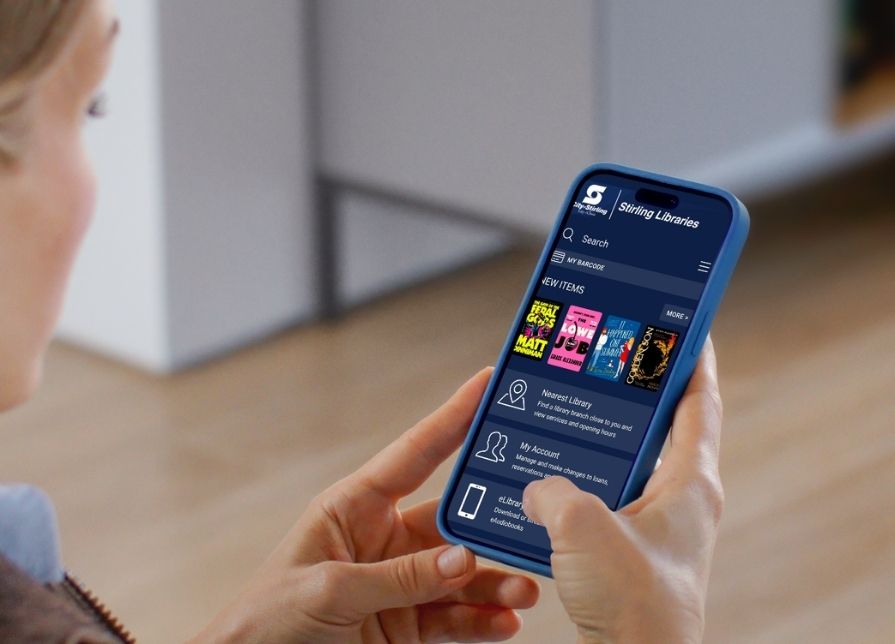
Don’t want to have to search across apps?
Make it easier with the City of Stirling Libraries app.
The Stirling Libraries app brings your digital library services together in one convenient place, allowing you to search the catalogue, manage your loans and discover digital items from your phone or tablet.
When you reserve a digital item through the Stirling Libraries app, it can connect you with the right app so the item downloads seamlessly to your device. It is a simple way to find what you want without needing to search each digital service separately.
The Stirling Libraries app is available for download from the App Store or Google Play.
These are only a few of the services available to library members. Discover a range of useful online resources for children and adults on the City’s Digital Library webpage.
*If you haven’t been to the library in some time, you may need to visit a Stirling Libraries branch and get one of our friendly librarians to confirm your details once per year to restore full membership access.


